
A terminal application with tabs, split panes, and saved Spaces. Keep your projects organized and reconnect to sessions while they keep running.
Built by Moonbase2090 · Rust, MSRV 1.90 · Linux & macOS
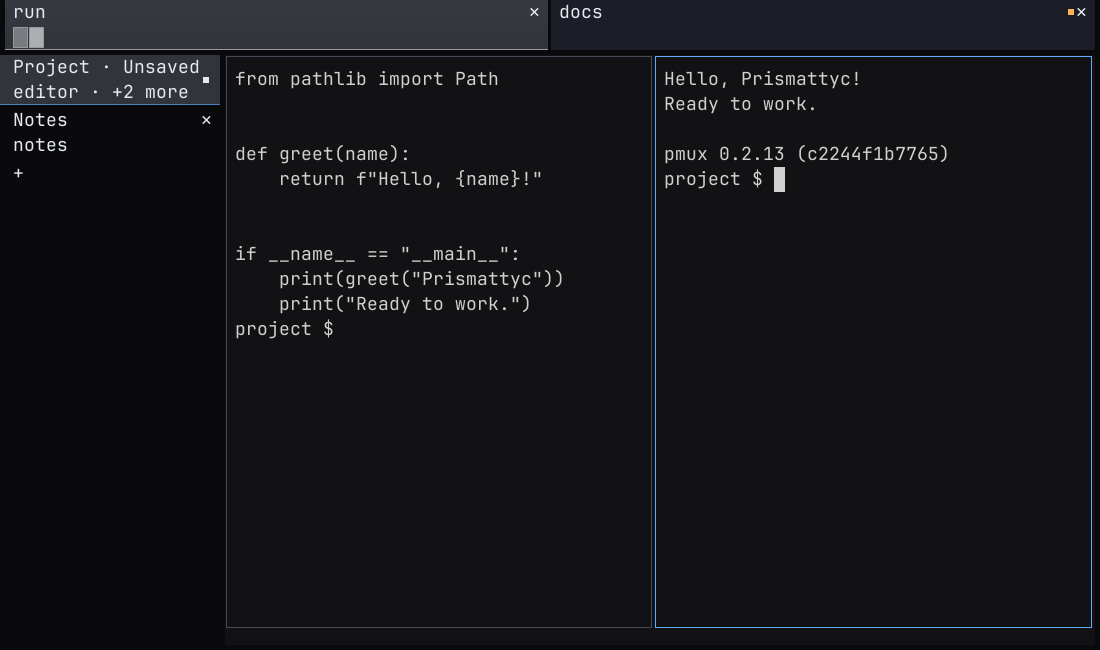
This narrated recording shows Prismattyc 0.2.27. The screenshot above shows an earlier release. Captions and a text transcript are available.
Read the demo transcript
This transcript follows the Prismattyc 0.2.27 demo reel. Saved Spaces restore layouts; they do not preserve running processes across a computer restart.
The recording covers keyboard shortcuts and keybindings, terminal rendering, split panes and tabs, saved Spaces, agent messaging, and accessibility settings.
- 00:07 This is Prismattyc, a terminal and multiplexer built in Rust.
- 00:10 You can organize your work into spaces,
- 00:13 keep sessions running when you close a window,
- 00:16 and let coding agents talk to each other.
- 00:19 Let's take a look.
- 00:21 Hold Control and Shift, and the shortcut guide appears along the bottom.
- 00:26 Ctrl+Enter and the other modified Return keys now reach the programs
- 00:31 and agents in a pane.
- 00:33 You can rebind any action with one short entry in the keys table,
- 00:38 or disable it with an empty list.
- 00:41 The active binding list shows every chord, including unbound actions.
- 00:45 Open the command palette and type what you're looking for.
- 00:48 Let's find the theme picker.
- 00:50 As you move through the themes, the window updates right away.
- 00:54 Pick one you like, press Enter, and carry on.
- 00:58 Color and text are where a terminal earns its keep.
- 01:02 Here's true color, followed by wide characters, emoji, and combining marks.
- 01:08 Box drawing, blocks, braille, and powerline symbols line up with the cell grid.
- 01:14 Prismattyc also draws images sent with the Kitty graphics protocol.
- 01:19 When output scrolls past, move back through the history and search for a match.
- 01:31 Split the window, move between panes with Alt and the arrows, or switch to a grid.
- 01:37 Zoom a pane for a closer look, then bring the others back.
- 01:42 Tabs help separate the work.
- 01:43 I'll name these build and logs.
- 01:45 The pane handles make it easy to see which terminal is which.
- 01:55 You can name a pane too.
- 01:57 That name stays with its handle, so it is easier to find later.
- 02:03 The handles also show activity.
- 02:05 This pane is printing output,
- 02:07 and its indicator stays busy while I work somewhere else.
- 02:12 Behind the window, pmux keeps sessions running when you close a viewer.
- 02:16 Come back later and pick up where you left off.
- 02:20 Here is that in a plain terminal.
- 02:22 I'll attach to a session, leave a message, detach, and attach again.
- 02:27 The same shell is still running.
- 02:33 Save an arrangement as a space, and it gets a place on the rail.
- 02:38 Keep separate layouts for different jobs,
- 02:40 move the rail, or change how new terminals open.
- 02:45 Now let's bring in two coding agents, Codex and Muse.
- 02:49 Each has its own isolated session and mailbox.
- 02:53 Both use pmux tools through MCP.
- 02:56 I'll ask Codex to send Muse a short question.
- 02:59 Codex calls the mail tool, and pmux delivers the letter.
- 03:10 Muse's mail indicator rings when Codex sends a note.
- 03:13 Muse reads it, replies, and marks the letter handled.
- 03:19 And here's the answer back in Codex's pane.
- 03:22 That's the round trip: send, read, reply, and finish.
- 03:26 Each agent stays in its own session.
- 03:31 Prismattyc exposes tabs, pane names, and controls to supported screen readers.
- 03:41 Announcements report incoming mail and requests for your attention.
- 03:44 You can turn them off and leave the accessibility tree available.
- 03:50 Pane messaging can write to one shell at a time.
- 03:54 Here I send the command seq one through ten thousand
- 03:57 and check both the receipt and the output.
- 04:00 A one-pane write sends a prompt to an agent and returns a receipt.
- 04:05 Enter is sent separately, and the submitted prompt gets a reply in that pane.
- 04:12 That's Prismattyc.
- 04:13 One place for your terminals, your spaces, and the agents working alongside you.
- 04:18 Thanks for taking a look.
Provenance
Built on familiar terminal tools.
Prismattyc runs shells and command-line programs in a desktop window. It builds on the terminal conventions those programs already use.
1960s
TTY: the teletypewriter
Unix was first operated from teleprinters. The hardware is gone; the name stayed as the terminal abstraction: line discipline, echo, job control.
1978
VT100: the video terminal
The VT100 helped establish escape-sequence conventions that terminal applications still use. Modern terminals extend those conventions with color, mouse input, and more.
2026
Prismattyc: your workspace
Run familiar command-line tools in tabs and panes. Organize sessions into Spaces and manage them from the window or with pmux.
Capabilities
Work across terminals and projects.
Use the desktop application for daily work. Use pmux to manage sessions and agent messages from a terminal or script.
pmux mail
Agent mail, built in
Named agent sessions can send and receive messages through pmux mail. Open Agent Messages in the command palette to find a session and view its queue status.
pmux attach
Detach & reattach
Shells and programs keep running when you detach, while pmuxd stays running. Reconnect to the session when you are ready.
pmux space
Spaces & layouts
Group sessions into named Spaces and save their layouts. Reopen a Space from the side rail. Saved layouts do not preserve running processes across a computer restart.
Ctrl+Shift+F
Scrollback & find
Scroll through terminal history, search for text, and copy a selection. Open Find with Ctrl+Shift+F in the desktop application.
prismattyc-host
Windowed host
Open tabs and split panes in a desktop window. Use the command palette, zoom a pane, paste images, and adjust fonts, colors, and window appearance.
TERM=prismattyc-kitty
Terminal compatibility
Bundled terminfo describes the terminal to command-line programs. Prismattyc supports truecolor output and configurable keyboard shortcuts.
Enabled by default
Keyboard and screen-reader support
The desktop application exposes tabs, pane names, focused terminal text, selections, and dialog controls to the operating system through AccessKit. Keyboard navigation and live announcements are available now. You can turn announcements off without disabling the accessibility tree. Read the accessibility guide.
Install
Get the binary
Download for Linux x86_64 or ARM64. Binaries run on Linux with glibc 2.28 or newer (Arch, Fedora, Debian bookworm+, Ubuntu 22.04+, and other current distributions). Prismattyc is developed on Arch Linux. A universal macOS build for Apple Silicon and Intel is available, signed with Apple Developer ID and notarized by Apple.
choose an available platform
Extract the Linux archive and run ./install.sh. On macOS, open the disk image and move Prismattyc.app to Applications. Checksums are published with each release on GitHub Releases. Use the update and uninstall guide for the built-in updater and removal options.
$ git clone https://github.com/moonbase2090/prismattyc.git
$ cd prismattyc
$ cargo install --path crates/prismattyc-mux --bins --locked
$ cargo install --path crates/prismattyc-host --locked
$ cargo install --path crates/pmux-mcp --locked
$ cargo install --path crates/prismattyc --locked
$ prismattyc-host
Install Rust 1.90 or newer and the required system libraries first. See the source build instructions.
Independent systems / The maker
Moonbase2090
Moonbase2090 builds Prismattyc. The source is available under the Mozilla Public License 2.0 (MPL-2.0).